
Its own search queries
The agent turns the question into search terms and runs as many searches as the question needs, up to the step limit you set for the agent.
Employees ask in their own words. The agent writes its own searches, searches again when the first passages are not enough, and answers with a footnote to the document and page.
The agent writes the search terms for each question and searches until it has the passages it needs. One agent can have several knowledge bases, and it searches them at the same time.
Someone asks about a business trip to Milan. The agent searches the HR policies for the travel rules and the IT handbook for the loaner laptop, then answers with footnotes to both.
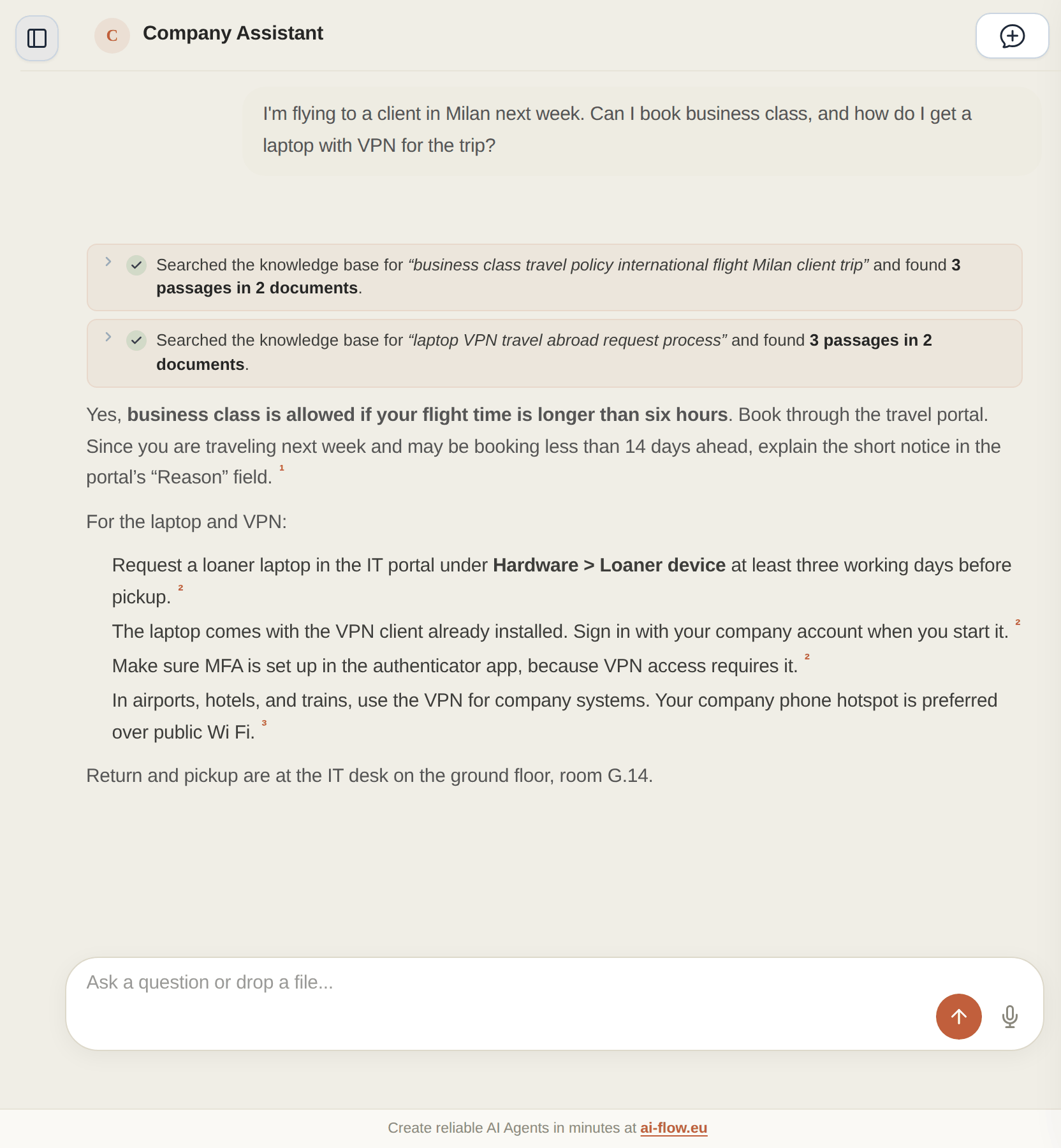
The agent combines several search methods and reads further when one passage is not enough.
The agent turns the question into search terms and runs as many searches as the question needs, up to the step limit you set for the agent.
Each knowledge base is its own tool. When a question touches HR and IT, the agent searches both at the same time.
AI-Flow runs semantic and keyword search together and merges the results. Error codes and article numbers count as exact terms, so a search for E-4012 finds the passage that contains E-4012.
If a passage is not enough, the agent lists the files in a knowledge base or reads a whole document. You can also add the neighbouring passages and the appendices you linked to a document.
With "Return Sources Per Statement" switched on, each statement in the answer has a footnote with document and page. Click it to open the page next to the answer.
When you upload a scanned PDF, a vision model reads it page by page and describes figures and diagrams, so the agent can search them too.
You connect the places where your documents already are.
You test an agent before more teams start using it.
You set access per agent, and AI-Flow logs every run.
Connect one knowledge base, ask the questions your team gets every week and check the footnotes.
Questions about figures? See Talk-To-Your-Data

